
Website, custom software or ERP: a business decision guide
A website, a custom application and an ERP can all run in a browser, which can make their boundaries difficult to explain. Choose the project around the business task rather than its technical label. A customer may need to understand an offer, an employee may need to complete a controlled process, or several departments may need consistent shared records. For a business in Karachi or elsewhere in Pakistan, this decision guide helps identify the primary job, the systems already doing part of it and a sensible first release.
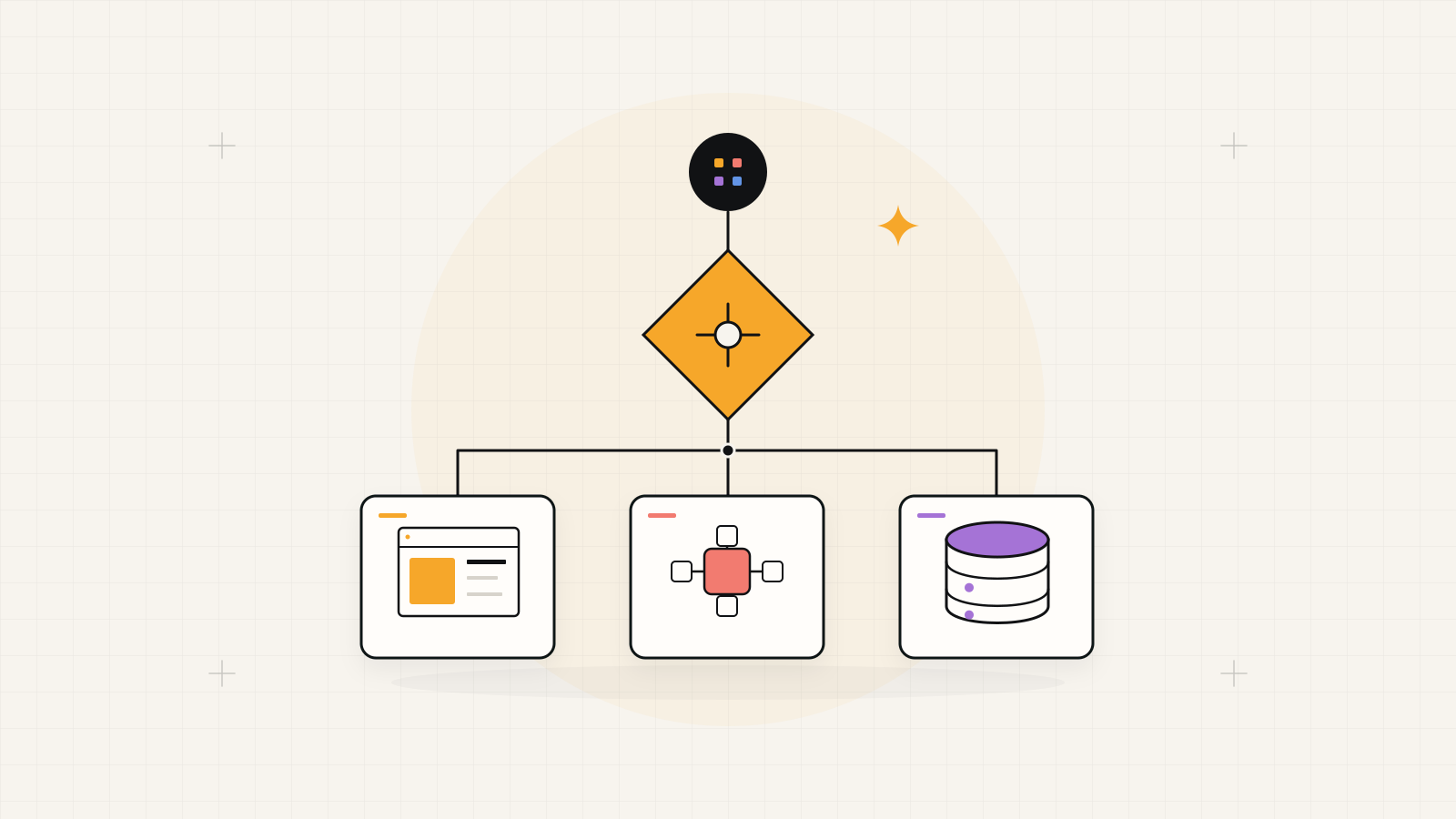
Choose the main job, then connect the supporting systems.
Start with a website for public discovery and conversion, a custom application for a distinct user workflow, or ERP for coordinated departmental records and processes. Add automation to a defined step when it helps. These approaches can work together, but each system still needs a clear boundary and an operating owner.
1. Diagnose the task before choosing the product
Write a concrete account of the current difficulty. “Customers cannot understand our offer” points toward content and a public journey. “Staff cannot trace an approval” points toward records and workflow. “Sales and warehouses use different stock numbers” points toward shared data and departmental coordination. A better-looking dashboard cannot correct conflicting definitions of stock.
Hypothetical example: a distributor has an outdated public catalogue, manually accepted orders and separate warehouse spreadsheets. It has three related problems. Rebuilding the website may help discovery, but internal order approval and reliable stock need their own scope. Map the full order journey so the team can identify which system should own each step.
Compare the studio's available capabilities against the mapped business task on the solutions overview
2. Compare the main project types
Use the table to choose a discovery starting point, then test it against actual work. An online store may already support ordering; a customer portal may need custom behaviour; an existing ERP may only need configuration or integration. Describe the missing task before assuming a new build is required.
The categories overlap because presentation and operating systems can connect. Keep the visitor journey, business rules and record ownership visible in the brief. If a proposal covers several categories, ask the supplier to explain the boundaries and how a failed connection affects the user.
| Approach | Primary job | First question to prove fit |
|---|---|---|
| Business website or store | Explain an offer and support enquiries or purchases. | Can customers find the information and finish the main action? |
| Custom software or portal | Support a defined user task with specific rules. | Can users complete the workflow, including exceptions? |
| ERP or business management system | Coordinate records and processes across departments. | Do teams share consistent identifiers, approvals and reports? |
| Focused automation | Handle a repeated step between people or systems. | Are inputs, output checks and the failure route clear? |
3. Choose a website when the public journey is the gap
A website scope is appropriate when visitors need clearer services, evidence, product information or contact paths. Define the audience, page templates, content owners and primary action. Decide how the business receives enquiries or orders. For commerce, confirm catalogue, checkout and fulfilment needs before choosing the platform.
In the hypothetical distributor example, the public catalogue can help customers identify product categories and submit a complete enquiry. It does not need to reproduce internal warehouse screens. If it exposes stock or order status, decide which operating system supplies that information and what visitors see when the connection is unavailable.
For a public website, redesign or commerce journey, start with web development in Karachi
4. Choose custom software for a distinct workflow
Consider a custom application when an important process needs rules, interfaces or connections that available tools do not fit well. Examples include a partner portal, specialist approval workflow or product-specific customer experience. Test existing options first with your actual scenarios. Custom scope should describe the gap, not simply promise flexibility.
Name the roles, records, permissions and acceptance outcomes. A portal for repeat customers might submit orders into an existing operating system rather than own stock itself. Confirm source-code access, deployment ownership and support responsibilities. The business needs to maintain the workflow after delivery, including its connections to other services.
For a purpose-built workflow or connected portal, explore custom software development in Pakistan
5. Choose ERP when departments need shared control
ERP becomes relevant when several teams depend on linked records and processes: sales orders affect inventory, purchasing changes stock availability, and approved activity feeds reporting. Map dependencies before choosing modules. Compare a configured product, custom system and hybrid against the same workflow and exceptions, including data migration and adoption.
For the hypothetical distributor, consistent product identifiers and warehouse quantities may be the first shared foundation. Adding finance or HR solely because they appear on a module list can expand the project without resolving the immediate gap. Agree which department owns each record, how corrections are approved and which reports establish that the first release works.
For connected departmental workflows, review ERP software development in Pakistan
Before selecting a build approach, use the custom ERP versus off-the-shelf guide
6. Add automation to a defined step
Automation can connect the chosen systems or assist with repeated information work. Use ordinary rules for predictable validation, routing and exact lookups. Consider AI where varied text or documents need interpretation and a reviewer can judge the result. Define the proposed action, failure route and data access before choosing an agent or model.
In the distributor example, a category suggestion for an incoming enquiry can sit beside a staff review queue. It should not silently become authority to change stock or approve credit. Keep consequential permissions in the application and give staff a way to pause the workflow. Evaluate a bounded step before widening its responsibility.
For a repeated, checkable information task, explore AI automation in Pakistan
OWASP recommends validating tool actions and enforcing permissions outside the model. OWASP prompt-injection prevention guidance
7. Choose a complete first release and its owner
Select the smallest release that resolves the primary problem from start to finish. Define the remaining manual hand-offs so nobody assumes they are automated. Compare proposals using that shared scope, including content, migration, account ownership and recurring support. Assign a business owner to accept the release and operators to review real task scenarios.
For the hypothetical distributor, a catalogue improvement and an internal order workflow could be separate phases with a deliberate bridge between them. Another business may first need reliable shared inventory. Decide using dependencies and operating readiness. Record what the next phase must prove before adding it, so the project grows from evidence instead of a broad technology wish list.
A decision brief for your first conversation
Bring evidence of the task and leave platform choices open where fit still needs testing.
- Primary business difficulty, affected users and the desired observable outcome.
- Existing tools, shared records and the owner of each authoritative dataset.
- One complete journey with exceptions and remaining manual hand-offs.
- Candidate project type, first-release boundary and acceptance owner.
- Content or data readiness, integration access and ongoing operating responsibilities.